Introduction
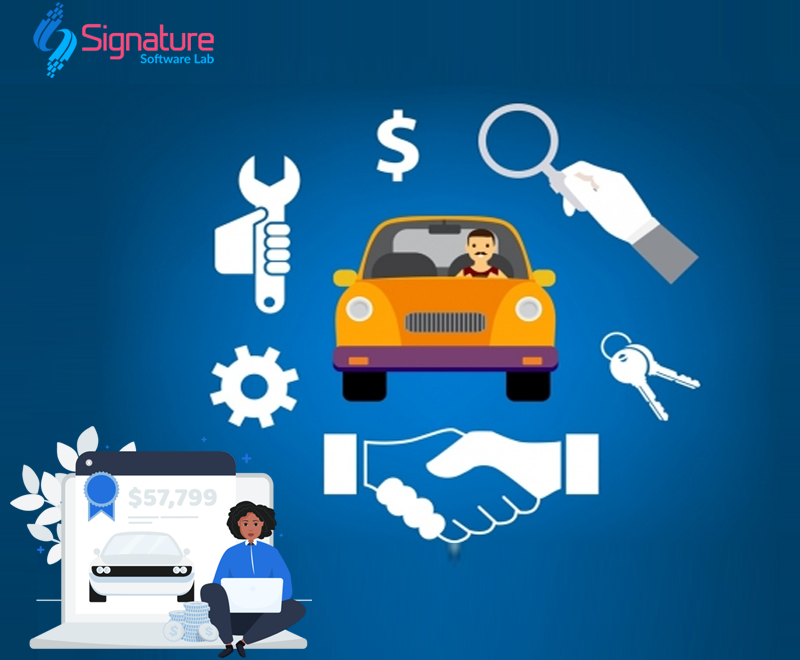
The used car industry has experienced significant growth over the past decade. With increasing customer demand for affordable and certified pre-owned vehicles, dealerships must efficiently manage inventory, customer relationships, financing, documentation, and sales processes. Relying on spreadsheets or manual records can lead to errors, missed opportunities, and reduced productivity.
Used Car Dealer Software is a comprehensive dealership management solution that automates daily operations, improves customer service, and helps dealerships increase sales while reducing operational costs.
Whether you operate a small used car showroom or manage multiple dealership branches, the right software can transform your business and provide a competitive advantage.
Table of Contents
What is Used Car Dealer Software?
Used Car Dealer Software is a digital platform designed specifically for used vehicle dealerships. It centralizes inventory management, customer relationship management (CRM), vehicle purchases, sales tracking, financial management, document storage, and reporting into one easy-to-use system.
The software allows dealerships to manage every stage of the vehicle lifecycle—from purchasing a used vehicle to selling it and providing after-sales support.
Why Does Your Used Car Dealership Need Software?
Managing a dealership manually can result in:
- Duplicate customer records
- Lost sales opportunities
- Inaccurate inventory tracking
- Delayed customer follow-ups
- Documentation errors
- Poor financial reporting
- Time-consuming administrative tasks
A modern Used Car Dealer Software solution eliminates these challenges by automating repetitive processes and providing real-time business insights.
Key Features of Used Car Dealer Software
1. Vehicle Inventory Management
Maintain a centralized inventory with complete vehicle details.
Store information such as:
- Vehicle make and model
- Registration number
- VIN/Chassis number
- Manufacturing year
- Fuel type
- Transmission
- Color
- Mileage
- Ownership history
- Purchase price
- Selling price
- Current stock status
- Vehicle location
Real-time inventory updates help prevent overselling and improve stock management.
2. Vehicle Purchase Management
Track every vehicle purchased from individuals, auctions, or other dealers.
Features include:
- Seller information
- Purchase agreements
- Vehicle inspection reports
- Purchase expenses
- Ownership verification
- Cost tracking
3. Vehicle Inspection & Quality Check
Record detailed inspection reports before listing vehicles for sale.
Manage:
- Engine condition
- Transmission
- Brake system
- Tires
- Electrical components
- Suspension
- Interior and exterior condition
This helps build customer confidence and improves transparency.

4. Customer Relationship Management (CRM)
Build long-term customer relationships with an integrated CRM.
Track:
- Customer profiles
- Contact information
- Inquiry history
- Test drive requests
- Follow-up reminders
- Purchase history
- Communication records
Automated reminders ensure no potential customer is forgotten.
5. Lead Management
Capture leads from multiple channels, including:
- Website inquiries
- Google Ads
- Phone calls
- Walk-in customers
Assign leads to sales executives and monitor conversion rates.
6. Online Vehicle Listings
Display available vehicles on your website automatically.
Customers can search using filters such as:
- Brand
- Model
- Price
- Fuel type
- Transmission
- Year
- Mileage
- Body type
Each listing can include high-quality images, videos, specifications, and financing options.

7. Test Drive Scheduling
Allow customers to schedule test drives online.
Manage:
- Appointment date and time
- Assigned sales executive
- Vehicle availability
- Customer feedback
8. Sales Management
Handle the complete sales process from booking to vehicle delivery.
Features include:
- Booking management
- Quotation generation
- Invoice creation
- Payment tracking
- Delivery scheduling
- Tax calculation
- Sales history
9. Finance & EMI Management
Help customers purchase vehicles with flexible financing options.
The finance module includes:
- Loan calculator
- Down payment calculation
- EMI estimation
- Finance company integration
- Loan approval tracking
10. Document Management
Store and organize all dealership documents securely.
Supported documents include:
- Registration Certificate (RC)
- Insurance
- Pollution Certificate
- Service records
- Purchase invoices
- Loan documents
- KYC documents
- Warranty information
Digital document management reduces paperwork and improves accessibility.
11. Expense Management
Monitor dealership expenses, including:
- Vehicle repairs
- Maintenance
- Transportation
- Advertising
- Cleaning
- Registration fees
Expense tracking provides a clear view of profitability.
12. Staff & User Management
Assign different access levels to employees.
User roles include:
- Administrator
- Sales Executive
- Inventory Manager
- Accountant
- Branch Manager
Role-based permissions improve security and accountability.
13. Reports & Business Analytics
Generate real-time reports for better decision-making.
Reports include:
- Sales reports
- Inventory reports
- Profit and loss analysis
- Lead conversion reports
- Customer reports
- Branch performance
- Vehicle-wise profitability
Interactive dashboards provide valuable business insights.
14. Multi-Branch Management
Manage multiple dealership locations from a single platform.
Features include:
- Branch-wise inventory
- Centralized reporting
- Staff management
- Sales comparison
- Stock transfer
Perfect for expanding dealership businesses.
15. Mobile Accessibility
Access your dealership anytime, anywhere using:
- Desktop
- Laptop
- Tablet
- Android phone
- iPhone
Sales teams can update customer information and inventory while on the move.
Benefits of Used Car Dealer Software
Implementing dealership software offers numerous advantages:
- Increase sales efficiency
- Reduce manual work
- Improve customer satisfaction
- Organize inventory effectively
- Automate follow-ups
- Enhance team productivity
- Minimize paperwork
- Secure important documents
- Monitor profits accurately
- Make data-driven business decisions
Who Can Use Used Car Dealer Software?
This software is ideal for:
- Used car dealerships
- Pre-owned vehicle showrooms
- Automobile brokers
- Vehicle traders
- Franchise dealerships
- Multi-location dealers
- Independent used car sellers
- Online vehicle marketplaces
Why Choose Signature Software Lab?
Signature Software Lab develops customized Used Car Dealer Software tailored to your dealership’s unique requirements.
Our solution includes:
- Custom Web Application
- Android Mobile App
- iOS Mobile App
- Dealer Website Integration
- Customer CRM
- Inventory Management
- Lead Management
- WhatsApp Integration
- SMS Notifications
- Finance Module
- Multi-Branch Support
- Advanced Reports
- Secure Cloud Hosting
- Data Backup
- Technical Support
- Future Feature Upgrades
We build scalable solutions that grow with your business.
Future-Ready Features
Our roadmap includes advanced technologies such as:
- AI-powered vehicle recommendations
- Intelligent pricing suggestions
- Online booking and reservations
- Digital KYC verification
- QR code vehicle management
- Customer self-service portal
- Dealer mobile application
- Business intelligence dashboards
- Integration with accounting software
- API integration with automotive marketplaces
Conclusion
The automotive industry is becoming increasingly digital, and dealerships that embrace technology gain a significant competitive advantage. Used Car Dealer Software simplifies dealership operations by automating inventory management, customer interactions, sales, financing, and reporting.
Whether you are launching a new dealership or expanding an established business, investing in the right software helps improve operational efficiency, increase customer satisfaction, and maximize profitability.
If you’re looking for a reliable, scalable, and feature-rich Used Car Dealer Software, Signature Tech Ventures offers customized solutions designed to help your dealership grow faster and operate smarter.
Frequently Asked Questions (FAQs)
What is Used Car Dealer Software?
It is a dealership management system that helps businesses manage inventory, customer relationships, vehicle purchases, sales, financing, and reporting from a single platform.
Can I manage multiple dealership branches?
Yes. The software supports centralized management for multiple branches with branch-wise inventory and reporting.
Does the software include a CRM?
Yes. It includes a built-in CRM to manage leads, customer inquiries, follow-ups, and sales history.
Can customers schedule test drives online?
Yes. Customers can book test drives directly through your website or mobile application.
Is the software customizable?
Absolutely. The software can be customized to match your dealership’s workflow, branding, and business requirements.
📞 Get Your FREE Consultation Today!
Start your Used Vehicle Reselling Software journey with a reliable software development partner. Our experts are ready to discuss your project and recommend the best solution for your business.